Bettamax, BLOG, E-commerce Platforms, Website & Hosting
All in One Ecommerce Business Platform: 6 Checks Before You Pick
Nov
Running a store with five separate tools feels like carrying five keys for one door. Many sellers look for an all in one ecommerce business platform for that reason. One login, one dashboard, and fewer gaps between steps sound like relief.
But “all in one” is a promise, and promises need checking. Some platforms cover only the storefront. Others add products, payments, and support. This guide gives six checks to compare options before you pay. It then applies them to BettaMax, using only what BettaMax states on its own pages.
If you are choosing an all in one ecommerce business platform, the six checks below keep the decision calm and specific.
What Does an All in One Ecommerce Business Platform Cover?

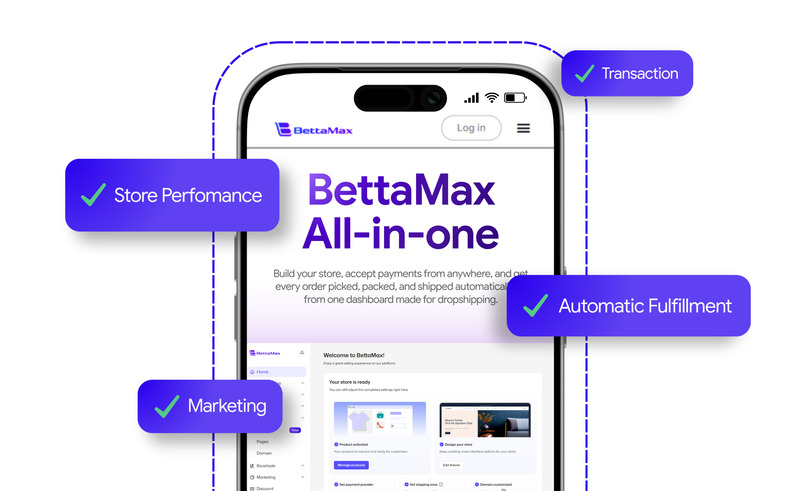
An all in one ecommerce business platform covers five jobs: building the store, listing products, taking payments, handling orders, and giving support. BettaMax describes its platform in these same terms. The sections below split those jobs into three groups.
Store Building and Design
A store builder is the first thing a good all in one ecommerce business platform offers. BettaMax says you can “drag and drop your way to a professional store,” with AI-generated templates and layouts. It also lists dozens of themes for colors and layout.
The terms are easy to mix up. A store builder is the hypernym, and a theme is one of its hyponyms. A template is a synonym of a theme in most help pages. Treat all three as parts of one tool, not three tools.
Products and Payments
Products and payments decide whether a store can earn money. An all in one ecommerce business platform connects both without extra apps. According to BettaMax, sellers can source products from trusted suppliers and add them to the store.
On payments, BettaMax says it accepts payments from 195 countries and 135+ currencies, then withdraws to a bank account. Its plan page lists PayPal and Stripe as supported gateways. These are company claims, so read the payment terms before you commit.
Policies, Shipping, and Support
The last group is the quiet one: policies, fulfillment, and help. A complete all in one ecommerce business platform also covers these. BettaMax says connected fulfillment partners source, pack, and ship orders, and that technical support runs 24/7.
Policies matter too. BettaMax’s start guide marks Shipping and Return Policy pages as required, because PayPal needs both before approving a merchant account. Extras like the mobile app are optional. Knowing which items are required and which are optional keeps the setup list short.
How Do You Compare an All in One Platform Before You Buy?
Compare platforms with six checks: setup, theme control, payments, product sourcing, domains, and support. Score each check from 1 to 5 for every option. A simple tally keeps an all in one ecommerce business platform choice fair, even when the sales pages sound alike.
Checks 1 and 2: Ease of Setup and Theme Control
Check 1: Ease of setup. Count the steps from sign-up to a live store. BettaMax’s docs list five: open the builder, choose a theme, add store details, add contacts, and publish. A short path matters most for beginners choosing an all in one ecommerce business platform.
Check 2: Theme control. Ask what you can change without code. BettaMax says its builder controls colors, fonts, and layouts, and that you can switch themes later. Less control means a store that looks like every other store.
Checks 3 and 4: Payment Options and Product Sourcing
Check 3: Payment options. List the gateways, countries, and currencies. Then find the order fee, because it repeats on every sale. BettaMax lists PayPal and Stripe, plus a per-order platform fee that depends on the plan.
Check 4: Product sourcing. Check whether suppliers and fulfillment are built in. If they are not, the platform is not truly all in one. Each outside app adds a bill, a login, and a possible failure point.
Checks 5 and 6: Domain, SEO Tools, and Support
Check 5: Domain and SEO. Look at how many domains a plan connects and what search settings exist. BettaMax plan limits show 3 connected domains on Basic and 20 on Professional. It also says its themes are optimized for SEO, which is a company claim.
Check 6: Support. Find out when help is available and by what channel. BettaMax advertises 24/7 technical support. Test it during the free trial, and note how fast replies arrive. A fast answer on day three beats a promise on the sales page.
Is BettaMax the Right All in One Ecommerce Business Platform for You?
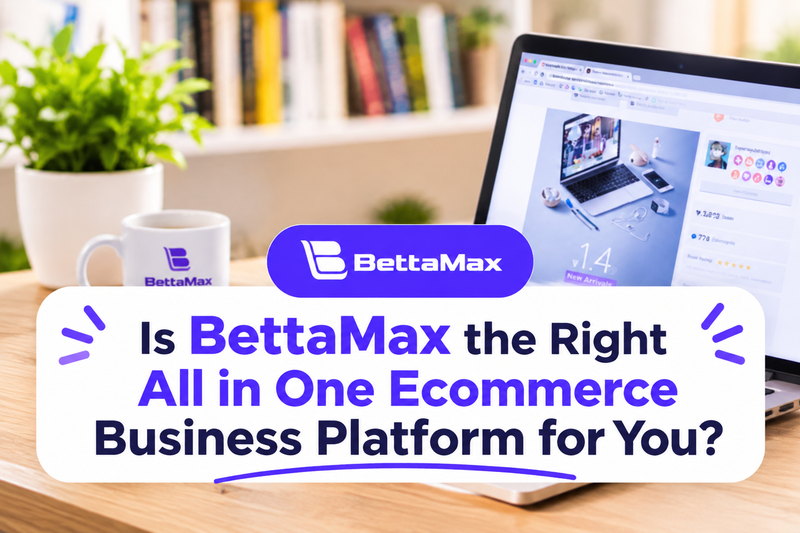
BettaMax suits sellers who want store building, sourcing, payments, and fulfillment under one login. It is less clear for sellers with other needs, so the checks above matter. This section applies them to BettaMax as an all in one ecommerce business platform.
Who It Suits Best
BettaMax calls itself an all-in-one dropshipping platform. That makes it a natural fit for new sellers who want suppliers and fulfillment partners built in. Sellers who hold their own stock, or who sell mostly in person, may want to confirm that workflow first. For them, this all in one ecommerce business platform may cover less than the sales page suggests.
What to Confirm on the Official Pages
Price is the check that most often changes a decision. The table below shows the BettaMax plan page as read on 2026-11-23. Prices are in USD.
| Plan | Monthly price | Yearly (monthly equivalent) | Platform fee per order | Connected domains | Staff accounts |
| Basic | $1 for 3 months, then $9 | $7.9 | 0.9% | 3 | 5 |
| Professional | $1 for 3 months, then $39 | $29.9 | 0.5% | 20 | 15 |
| Enterprise | Custom | Custom | Custom | Tailored | Tailored |
A 14-day free trial is listed, with 1 domain and 1 GB of storage. The home page also says “no platform fees” for essential features, yet the plan page lists a per-order fee. The pages do not explain the gap, so confirm the final fee at checkout. Run this price check on every all in one ecommerce business platform you compare.
How to Start in Four Stages
BettaMax’s start guide lays out four ordered stages:
- Account setup: register and verify the email. Only verified accounts have full access.
- Build the store: create the store and homepage, and add the Shipping and Return Policy pages.
- Add products: add at least one active product before connecting a payment gateway.
- Connect payments: link one gateway and one receiving account. PayPal ACDC approval can take 1 to 3 business days.
The order matters. A store without products cannot connect payments, so follow the stages one by one.
Conclusion
A good all in one ecommerce business platform saves time because the steps connect. The six checks give you a fair way to compare: setup, theme control, payments, product sourcing, domains, and support. BettaMax covers each area on paper, so test the claims during the 14-day trial and confirm fees before paying. Pick the all in one ecommerce business platform that passes the most checks for your own store, not the one with the loudest sales page.
FAQs
1.What is an all in one ecommerce business platform?
An all in one ecommerce business platform is a single service that combines a store builder, product sourcing, payments, order handling, and support. You manage these jobs from one dashboard instead of several tools.
2.Is an all in one ecommerce platform better than separate tools?
It depends on the store. One platform means fewer logins and bills, and the parts connect by design. The trade-off is reliance on one vendor, so compare fees and exit options first.
3.What should a small business check before choosing an all in one platform?
Check setup steps, theme control, payment gateways, product sourcing, domain limits, and support. Then read the plan page for per-order fees. A free trial, such as BettaMax’s 14-day trial, helps you test before you pay.
4.Can beginners use an all in one ecommerce platform without coding skills?
Often yes. According to BettaMax, its Storefront Builder uses drag and drop and needs no technical skills. Test the builder in a trial to see if it feels simple to you.
