
Email Marketing, BLOG, Marketing & SEO
7 Powerful Ways: The Way How to Send Personalized Product Recommendations
Nov
Have you ever sent the same generic email to every shopper and felt it missed the mark? Many small shop owners feel this way. They worry that personalization costs too much or feels too complicated. It doesn’t have to be. If you’re searching for how to send personalized product recommendations in Mailchimp for small business marketing, you’re in the right place.
Mailchimp is a marketing platform that helps small teams manage email campaigns in one place. It brings email, SMS, and social media together. This guide shares seven simple tips, from connecting your store to testing your email. By the end, you’ll know how to send personalized product recommendations step by step.
Why Personalized Product Recommendations Matter for Small Business Marketing?
Before you learn how to send personalized product recommendations, it helps to know what they are and why they pay off.
What Personalized Product Recommendations Are in Mailchimp?
Personalized product recommendations are suggestions built from customer data. That data includes each customer’s purchase history, browsing behavior, and preferences. In Mailchimp, you choose from three recommendation types: personalized recommendations, best sellers, and new arrivals. You can combine all three in one email.
Here’s good news for small shops. These recommendations are available on all Mailchimp plans. Plans change, so check the pricing page first. Next, you’ll see how to send personalized product recommendations that fit your shop.
How Mailchimp for Small Business Marketing Helps You Personalize Emails?
Mailchimp is an all-in-one platform. It offers many marketing tools. These include email marketing, audience segmentation, and landing pages. It also covers social media posts, ads, and customer relationship management. You manage them from one dashboard. That saves a small team a lot of time.
Your audience, also called your contact list, is the group of people you email. Each person on it is a subscriber. A tag is a label you add to a contact. A segment is a smaller group inside your audience. Together, these tools help you send the right message to the right people. You’ll need all of these tools to send personalized product recommendations.
Why does this matter? Relevant emails feel helpful. They build customer relationships and encourage repeat purchases. A small team can’t write a different email for every person. Personalization saves you that work. That’s why Mailchimp suits shops that want to learn how to send personalized product recommendations.
The Way How to Send Personalized Product Recommendations in Mailchimp Step by Step
Here’s how to send personalized product recommendations in Mailchimp, step by step. If you only have time for one thing today, connect your store and send yourself a test email.
Connect Your Online Store and Prepare Your Audience
Start with your online store, also called your ecommerce store. It holds your products and orders. Product blocks pull items from your connected store, so Mailchimp needs access to it. The store must be a supported platform. Connect yours through Mailchimp’s integrations. Then check that your products and orders sync. If something is missing, review your store settings and sync again.
Next, review your audience. Every contact has a status. Subscribed contacts can receive your marketing emails. Unsubscribed contacts cannot. Keep your list clean and email only people who said yes. Want to know how to send personalized product recommendations? Start with a healthy list.
Add a Product Recommendation Block to Your Email
Create a new regular email. It’s one type of email campaign. Then open the content builder and drag a Product Recommendation block into your layout. Each block can show up to four products from your connected store, and extra blocks raise the total to ten. This block is how you send personalized product recommendations in Mailchimp.
Next, set up the block:
- Recommendation type: choose personalized recommendations, best sellers, or new arrivals.
- Number of recommendations: pick how many products to show.
- Range to display: the first range always shows the most relevant products to each recipient.
- Layout: choose a horizontal or vertical layout.
- Optional details: turn the title, price, and button on or off.
What if a customer hasn’t bought anything yet? They see best sellers instead. That’s a handy fallback for new subscribers.
Preview, Test, and Send Your Email
Before you send, preview your email. In preview mode, you can turn on live merge tag info to see how recommendations look for specific people. Then send a test email to yourself. Check every link, image, and price.
When everything looks right, click Send. Mailchimp fills the block with relevant products at send time, so you never enter products by hand. That’s how to send personalized product recommendations in Mailchimp from start to finish.
Want to see results? Turn on ecommerce tracking in your email settings, and your report will show purchase revenue.
One gentle caution: the built-in blocks are simple. One vendor review notes they lack real-time stock and price awareness. So double-check these product details before each send.
The Way How to Get More Sales from Your Mailchimp Product Recommendations
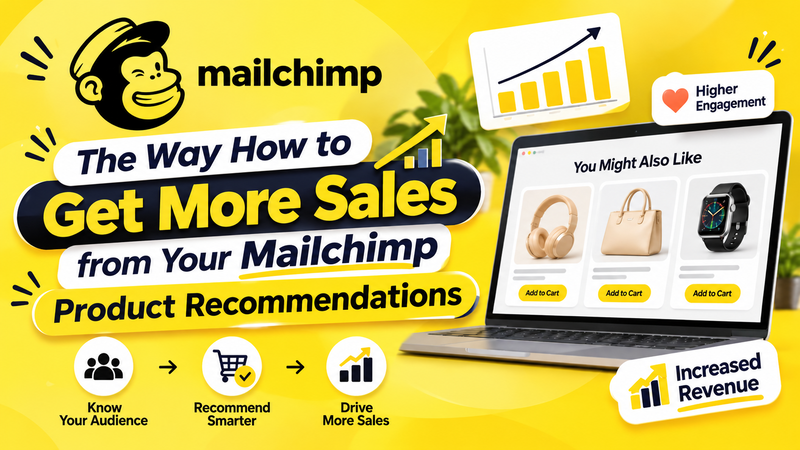
Sending one email is a good start. The real gains come from reusing recommendations and improving them over time. Knowing how to send personalized product recommendations once is useful. Repeating it is where sales grow.
Use Recommendations in Abandoned Cart and Automated Emails
An abandoned cart email reaches shoppers who add items but don’t check out. It helps you recover lost sales for your ecommerce store. You can add any recommendation type to it, such as new arrivals. This gives shoppers a fresh reason to return. It’s also a smart place to practice how to send personalized product recommendations.
It’s one kind of automated email. Mailchimp sends it after a trigger, like leaving the cart. A regular email, on the other hand, is a one-time send at a time you choose. Use both. Timing matters too. These moments are all parts of the customer journey:
- After a purchase: recommend items that go with it.
- After browsing: share similar products when someone views an item but doesn’t buy.
- Before a seasonal event: suggest items for upcoming holidays.
- When a product needs replacing: recommend refills or replacements.
Segment Your Audience and Track Your Results
Segments make your emails more relevant. You could group customers by purchase history, interests, or location. Then send targeted emails instead of mass emails. A shopper who bought shoes last week may want socks, not another pair of shoes.
Also think about what fits the last purchase. A customer who buys a coffee machine may want coffee filters or other accessories. These are complementary products because they support the main purchase. You can suggest alternative products when an item is unavailable. This supports cross-selling, which adds useful extras, and upselling, which offers a higher-value option. Both should focus on customer needs, not on pushing pricier items.
Keep privacy in mind. Use data customers share with you, and respect their consent. Be helpful, not intrusive. Instead of “We saw you view this item five times,” write “You may also like these products.”
Finally, review your campaign report. Check these metrics: the click rate, conversion rate, and unsubscribe rate. Avoid common slip-ups, such as sending to the wrong audience or skipping the test. Want better emails each time? Check your results after every send. Over time, you’ll learn how to send personalized product recommendations that customers actually click.
Conclusion
You’ve seen how simple personalization can be. Connect your store, add the block, test your email, send it, and improve. That’s how to send personalized product recommendations in Mailchimp for small business marketing, one step at a time.
Start with one simple email. Track your results and learn from them. Mastering how to send personalized product recommendations in Mailchimp for small business marketing is a skill, and every send makes it stronger.
Frequently Asked Questions
1. Can I send personalized product recommendations in Mailchimp for free?
Product recommendations are available on all Mailchimp plans, but you need a connected online store. Limits and features change over time. Learning how to send personalized product recommendations starts with that store connection.
2. What types of product recommendations does Mailchimp offer?
Mailchimp offers three types: personalized recommendations, best sellers, and new arrivals. You can combine all three in a single email campaign. Pick the mix that fits your goal.
3. Do I need an online store to use Mailchimp product recommendations?
Yes. Product blocks need a connected, supported ecommerce store. Once it’s connected, your products and orders sync to Mailchimp. Then you can pick items for each block. That’s the first step when you learn how to send personalized product recommendations in Mailchimp.
4. What do new customers see if they have no purchase history?
They see best sellers instead of personalized picks. It’s a smart safety net when you learn how to send personalized product recommendations to a growing audience.
