
Domain, BLOG, Website & Hosting
Transfer Domain to New Registrar: 7 Steps, Up to 5 Days

Nov
Learning how to transfer domain to new registrar for small business sites can feel scary at first. Many shop owners worry that one wrong click will take the website offline or break the email. The process also comes with jargon, such as unlock, authorization code, and nameservers. That worry is normal, and it is easy to calm.
This guide gives you a clear path. You will see what to check, what to click, and what to do afterward. It shares seven steps: decide to move, check the basics, unlock the domain, get the code, start the transfer, keep services running, and verify everything. Take them one at a time, and the move becomes a short, quiet task.
Why Transfer Your Domain to a New Registrar?

Move only when the benefits are clear and the basics are ready. Steps 1 and 2 help you decide and check what must be true first. A short check now keeps any plan to transfer domain to new registrar for small business smooth.
Step 1: When Moving Your Domain Makes Sense
A registrar is the company that manages the registration of your domain. Moving the domain means changing that company. People also say move, migrate, or switch, which are synonyms of transfer in this setting.
There are common reasons to move:
- Better support when something breaks.
- Clearer pricing, especially at renewal.
- Better security tools, such as two-factor login and a domain lock.
- Keeping your domains and services in one place.
Staying put can be the better choice. If your current registrar works well and the price is fair, the move may not be worth the effort. The old company is called the losing registrar, and the new one is the gaining registrar. Losing and gaining are antonyms, and you need good terms with both during the move.
Step 2: What to Check Before You Transfer
Some domains cannot move right away. ICANN’s transfer pages describe several rules that apply across registrars:
- A registrar may deny a transfer if the domain is within 60 days of its first registration, or within 60 days of a previous transfer.
- A 60-day lock follows a change of registrant, which is a change to the holder’s name, organization, or email. Some registrars let you opt out of it.
- A domain in a state that blocks transfers, such as redemption, must be restored first. If the domain has expired, renew it before you start.
Then prepare your side. Confirm that you can open the registrant email, because approval messages go there. Note your current DNS records and email setup. DNS records are the holonym, and the individual records, such as the A record and the MX record, are its meronyms. The A record points the domain to your website, and the MX record points it to your email.
One short note: ICANN’s Board adopted new transfer-policy recommendations in June 2026, but its resolutions state no effective date. Until the new rules take effect, follow the instructions of both registrars.
How to Transfer Domain to New Registrar Step by Step
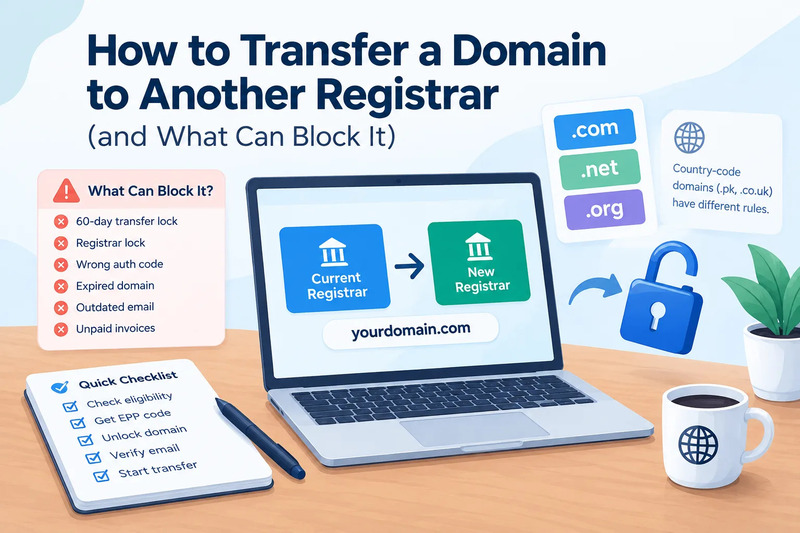
Unlock the domain, get the code, start the transfer, and approve it. Steps 3 to 5 walk through the move itself. Follow them in order, and the process to transfer domain to new registrar for small business stays calm and clear.
Step 3: Unlock Your Domain and Get Your Transfer Code
Start at the current registrar. Unlock the domain in its account settings. Then request the authorization code, which proves you own the domain. Many registrars let you create it yourself. Others send it after a request, and ICANN’s transfer policy says a registrar without self-service tools must provide it within five calendar days.
You will see several names for the same thing: EPP code, auth code, and transfer code. These are synonyms. ICANN’s June 2026 recommendations would rename it Transfer Authorization Code, or TAC, but they have no effective date yet. Treat the code like a password. Copy it without extra spaces, and keep it private.
Step 4: Start the Transfer at the New Registrar and Approve It
Now move to the new registrar. Open its transfer page, enter your domain name, and paste the code when prompted. You will need to confirm the registrant contact information, so check that it is correct.
Then pay the transfer fee. ICANN’s policy says a completed transfer adds one year to the registration, and registrars usually cover this in the fee. Check the checkout page to be sure.
Under the current policy, a transfer of a gTLD such as .com can take up to five calendar days, unless the current registrar rejects it. Watch your email during that time. Both registrars may send approval requests, and a quick reply keeps the transfer moving.
Step 5: Keep Your Website and Email Running During the Move
A transfer does not change your nameservers by itself, so your website and email keep working. Do not change nameservers in the middle of a transfer. That one extra change makes problems harder to trace.
Check two other things before you start:
- Email hosting is often separate from registration. Confirm whether it continues at the old registrar.
- DNS hosting may be tied to the old registrar. If it is, ask whether it keeps working after the transfer.
Then save a copy of your DNS records before you begin. A screenshot or a text file is enough. That copy is your safety net if something needs to be restored.
What to Do After You Transfer Your Domain

Check the site, the email, and the settings right away, then fix any gaps. Steps 6 and 7 finish the job. Careful follow-up completes the move when you transfer domain to new registrar for small business.
Step 6: Check DNS, Email, and Settings
Work through this short list on the day the transfer finishes:
- Open your website on a phone and on a computer.
- Send a test email to your business address, and send one back.
- Compare your DNS records with the copy you saved. The A record and MX record should match.
- Confirm that the new registrar is listed on the domain’s account page.
- Turn on two-factor login and a domain lock, if the registrar offers them.
- Turn on privacy protection, if it is offered, and check that your contact details are accurate.
- Set a renewal reminder, or turn on auto-renew.
This list covers the website, the email, and the account, which are three meronyms of a working domain setup.
Step 7: Fix Problems or Wait Out the Lock
If the website or email stops working, check the DNS records first. Restore the saved copy at the place where your DNS is hosted. Most problems come from a missing or changed record.
If a transfer is denied, ask the registrar for the reason. ICANN’s transfer pages say a registrar must give a reason unless the denial is mandatory. Common causes include the 60-day windows, a domain lock, a pending dispute, or unpaid fees. Fix the cause, then start again.
Also plan for a pause after a successful move. Under the current policy, a registrar may deny another transfer within 60 days of the previous one. Start and stop are antonyms, and this lock is a planned stop. It protects your domain, so wait it out before you consider a second move.
Conclusion
A domain move is a short list of small tasks. Decide why you want to move. Check the 60-day windows and the domain status. Unlock the domain, get the code, and start the transfer. Keep your nameservers and email steady, then verify everything afterward. Many shop owners feel nervous before their first move, and that feeling fades once the steps are written down. Start with a quick checklist, make one careful transfer, and save the key details, such as the DNS records and the renewal date. With these seven steps, you can transfer domain to new registrar for small business use without losing your website or your email.
FAQs
1.How much does it cost to transfer a domain to a new registrar?
The cost depends on the new registrar and the domain ending. Most registrars charge a transfer fee, and ICANN’s policy says a completed transfer adds one year to the registration. Check the new registrar’s checkout page before you pay, and compare the renewal price too. That check is part of any plan to transfer domain to new registrar for small business.
2.Will my website or email go down during a domain transfer?
Usually not. A transfer does not change your nameservers by itself, so the website and email keep working. Problems appear when nameservers or DNS records change at the same time. Save a copy of your DNS records first, and ask your old registrar whether it hosts your DNS.
3.Can I transfer a domain I just registered or recently updated?
Not always. A registrar may deny a transfer within 60 days of the first registration or of a previous transfer. A 60-day lock also follows a change of registrant, which is a change to the holder’s name, organization, or email. Some registrars let you opt out of that lock. Check both of these dates before you start.
