
Email Marketing, BLOG, Marketing & SEO
Mailchimp Email Marketing Guide: 7 Proven Tips for Better Campaigns
Nov
A Mailchimp email marketing guide helps businesses understand how to create campaigns, manage subscribers, and improve email communication. Mailchimp provides tools for email marketing, audience management, marketing automation, and campaign reporting.
Successful email marketing requires more than sending messages regularly. Businesses need relevant content, organized subscriber data, suitable audience segments, and reliable performance tracking.
This Mailchimp email marketing guide covers the platform’s main features and explains seven practical steps for managing effective email campaigns.
What Does Mailchimp Email Marketing Include?
Mailchimp email marketing includes the tools businesses need to create campaigns, manage subscriber lists, automate customer communication, and track performance. These features help businesses reach the right audience, maintain customer relationships, and improve email marketing results.
How Does Mailchimp Work as an Email Marketing Platform?
Mailchimp is an email marketing and marketing automation platform that helps businesses communicate with subscribers. A Mailchimp email marketing guide typically covers four core campaign types:
- Regular email campaigns: Newsletters, announcements, product updates, and promotions.
- Plain-text emails: Simple messages with minimal visual formatting.
- Automated emails: Messages triggered by dates, events, or subscriber activity.
- A/B testing campaigns: Tests that compare different email versions.
Each campaign type supports a different communication goal. For example, an online store can send a promotional newsletter and configure an automated welcome email for new subscribers.
How Does Mailchimp Manage Email Campaigns and Subscribers?
Mailchimp manages contacts, audiences, campaign settings, and reports in one platform. Each audience stores subscriber information, while contact statuses determine which marketing emails a person can receive.
Businesses can use these tools to:
- Collect contacts through signup forms.
- Organize subscriber information.
- Select recipients and audience segments.
- Schedule email campaigns.
- Review campaign performance.
A well-organized audience helps businesses send relevant messages to the right subscribers. It also supports better contact management and subscription permission records.
Which Businesses Use Mailchimp Email Marketing?
Mailchimp supports small businesses, ecommerce stores, content creators, and marketing teams.
- Small businesses send newsletters, company updates, and promotions.
- Ecommerce stores connect supported integrations to use customer and purchase data.
- Content creators distribute newsletters, articles, and announcements.
- Marketing teams manage campaigns, audiences, and performance reports.
A Mailchimp email marketing guide is useful for businesses that want to understand these capabilities before choosing a suitable plan. Feature access depends on contact volume, account limits, and the tools each business needs.
What Are the Key Features of Mailchimp Email Marketing?
Mailchimp email marketing offers a range of features to help businesses create effective campaigns and manage customer relationships. From email design and audience segmentation to marketing automation and performance analytics, these tools make it easier to deliver relevant messages and optimize campaign results.
How Do Email Campaigns, Templates, and Design Tools Work?
Mailchimp’s email builder helps users create campaigns with templates, text, images, links, and CTA buttons. These elements organize information and guide subscribers toward a specific action.
A well-structured email includes:
- Sender name: Identifies the business.
- Subject line: Describes the email’s main message.
- Introduction: Gives readers useful context.
- Email content: Presents updates, products, or resources.
- Call to action: Directs readers to a page or next step.
For example, an ecommerce business can introduce a product with an image, a short description, and a button linking to its product page.
When following a Mailchimp email marketing guide, pay attention to responsive layouts, readable fonts, descriptive image text, and clear spacing. Preview each campaign on desktop and mobile devices before sending.
How Do Audience Segmentation and Marketing Automation Work?
Audience segmentation groups subscribers by shared characteristics, interests, or behavior. Marketing automation sends messages when predefined triggers or conditions occur.
Common segmentation attributes include:
- Contact details: Location and available subscriber information.
- Signup information: Registration source and selected preferences.
- Purchase activity: Previous orders and product categories, when ecommerce data is connected.
- Email engagement: Recorded opens and clicks.
For example, an online store can send product updates to customers who previously purchased from a specific category.
Automation supports workflows such as welcome emails, birthday messages, and post-purchase follow-ups. Each workflow uses a trigger, sending condition, and email message.
A Mailchimp email marketing guide should also explain that automation and segmentation options vary by plan and connected services. The available subscriber data determines which segments a business can create.
How Do Mailchimp Analytics, Reports, and A/B Testing Work?
Mailchimp analytics help businesses evaluate email delivery and subscriber engagement. Reports may include:
- Delivery results: Successfully delivered and bounced emails.
- Open rate: The percentage of delivered emails recorded as opened.
- Click rate: The percentage of delivered emails that generated tracked clicks.
- Unsubscribe activity: Contacts who opted out of marketing emails.
- Purchase data: Ecommerce activity when tracking and integration are configured.
A/B testing compares campaign variations, such as subject lines, sender names, email content, or sending times. Businesses can review the results to identify differences in subscriber response.
Open tracking has limitations because privacy features and automated activity can affect recorded opens. Use clicks, conversions, and unsubscribes alongside open rates when evaluating campaign performance.
How to Use This Mailchimp Email Marketing Guide?
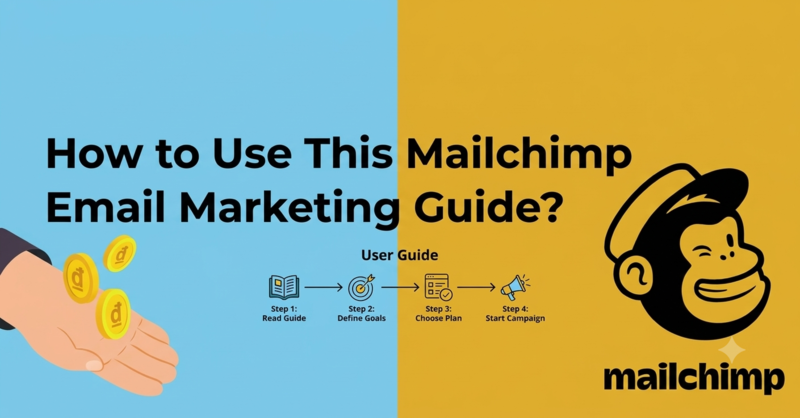
1. Build Your Email Audience
- Create an audience in Mailchimp.
- Add contacts who have subscribed.
- Organize and update contact information.
- Check subscription status before sending.
2. Create Relevant Email Content
- Write a descriptive subject line.
- Prepare useful content and images.
- Keep the layout simple.
- Include a clear CTA.
3. Choose a Suitable Sending Time
- Consider subscriber time zones.
- Test different sending times.
- Compare campaign engagement.
- Adjust the schedule based on results.
4. Set Up Email Automation
- Choose an automation trigger.
- Create the email message.
- Configure sending conditions.
- Test the workflow before activation.
5. Segment Your Subscribers
- Group contacts by interests.
- Use available customer information.
- Create relevant audience segments.
- Send suitable content to each group.
6. Test Your Email Campaigns
- Compare different subject lines.
- Test email content and layouts.
- Use available A/B testing features.
- Apply useful findings to future campaigns.
7. Review Reports and Optimize Campaigns
- Check delivery and click results.
- Review conversions and unsubscribes.
- Identify engagement patterns.
- Improve future campaigns using report data.
Conclusion
Mailchimp combines email campaign creation, audience management, marketing automation, integrations, and analytics in one platform. Businesses can use these features to organize subscriber communication and evaluate campaign performance.
This Mailchimp email marketing guide has explained the platform’s main functions and seven practical steps for managing email campaigns. By maintaining an organized audience, creating relevant content, and reviewing campaign data, businesses can build a more consistent email marketing strategy.
Frequently Asked Questions
1. What Is Mailchimp Email Marketing Used For?
Mailchimp email marketing is used to create newsletters, promotional campaigns, product announcements, and automated messages. The platform also supports contact management, audience segmentation, and campaign reporting.
2. Is Mailchimp Suitable for Beginners?
Yes. Mailchimp provides templates, campaign-building tools, and audience management features. Beginners can start with a basic subscriber list and a regular email campaign before exploring automation.
3. What Types of Emails Can You Send With Mailchimp?
Mailchimp supports regular marketing emails, plain-text emails, and automated campaigns. Available campaign types and automation options depend on the account plan and connected services.
