
Email Marketing, BLOG, Marketing & SEO
Mailchimp Email Marketing: 5 Smart Ways to Improve Email Results
Nov
Mailchimp Email Marketing helps businesses connect with subscribers, promote products, and build lasting customer relationships. With tools for campaign creation, audience management, and automation, businesses can manage their email marketing activities more efficiently.
This guide explains how Mailchimp works, explores its key features, and shows you how to create and manage effective email campaigns.
What Is Mailchimp Email Marketing and How Does It Work?
Mailchimp Email Marketing refers to using Mailchimp’s platform to create, send, and manage marketing emails. It helps businesses communicate with subscribers, organize contact lists, and automate messages based on customer actions.
Understanding Mailchimp and Its Email Marketing Platform
Mailchimp combines email campaign creation, audience management, and marketing automation in one platform.
Businesses can use it to send newsletters, announce new products, share promotions, and maintain regular communication with subscribers.
Its visual email builder and ready-made templates make it easier to design professional emails without advanced coding skills.
How Mailchimp Helps Businesses Manage Email Campaigns?
Mailchimp simplifies several parts of the email marketing process:
- Campaign creation: Design and send newsletters, promotional emails, and announcements.
- Audience management: Organize contacts and manage subscriber information.
- Email automation: Send scheduled or behavior-based messages.
- Performance tracking: Monitor campaign engagement through reports and analytics.
These tools help businesses manage their email marketing activities in a more organized way.
Who Should Use Mailchimp for Email Marketing?
Mailchimp can be useful for different types of businesses:
- Small businesses: Communicate with customers and promote products or services.
- E-commerce stores: Send product announcements and promotional campaigns.
- Content creators: Share newsletters and updates with subscribers.
- Marketing teams: Manage campaigns, organize audiences, and analyze performance.
It is a practical option for businesses looking for an accessible email marketing platform.
What Are the Key Mailchimp Email Marketing Features?
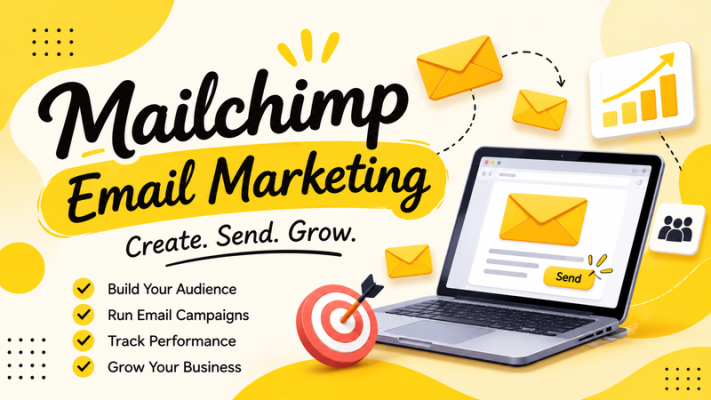
Understanding Mailchimp Email Marketing features helps businesses choose the right tools for their communication goals. The platform offers several capabilities for designing campaigns, managing subscribers, and measuring results.
Email Campaigns, Templates, and Design Tools
Mailchimp allows users to create different types of email campaigns, including newsletters, promotional emails, product announcements, and business updates.
Its email templates and visual editor help users customize campaign layouts with:
- Text and images
- Brand colors and logos
- Product information
- Buttons and call-to-action links
These design tools help businesses maintain consistent branding and create emails that are easy to read across devices.
Audience Segmentation and Email Marketing Automation
Audience segmentation helps businesses divide subscribers into smaller groups based on contact information, interests, or engagement.
For example, an online store could create separate segments for new subscribers, repeat customers, and inactive contacts. This makes it easier to send relevant messages to different audiences.
Mailchimp Email Marketing also includes automation tools that can send messages based on predefined triggers and conditions.
Common examples include:
- Welcome emails for new subscribers.
- Follow-up emails after a purchase.
- Re-engagement campaigns for inactive subscribers.
- Automated promotional messages.
Available automation options may depend on the integration, account configuration, and subscription plan.
Email Analytics, Reporting, and A/B Testing
Tracking campaign performance helps businesses understand how subscribers interact with their emails.
Mailchimp provides reporting tools that can help users monitor metrics such as:
- Open rate: The percentage of delivered emails that were opened, where tracking is available.
- Click rate: The percentage of delivered emails that received clicks.
- Unsubscribe rate: The percentage of recipients who unsubscribed.
- Conversions: Actions completed after interacting with an email, when conversion tracking is configured.
A/B testing can also help businesses compare different email elements, such as subject lines or content variations.
By reviewing these results, marketers can identify what works and improve future campaigns.
How to Use Mailchimp Email Marketing Effectively?
Using Mailchimp Email Marketing effectively involves setting up an organized audience, creating relevant campaigns, and monitoring their performance. These activities help businesses build a consistent email marketing strategy.
Set Up Your Account and Organize Your Audience
Start by creating a Mailchimp account and configuring your audience. Add contacts who have given appropriate permission to receive marketing emails.
Then, organize subscribers using relevant tags and segments. A well-organized audience makes it easier to send targeted messages and manage subscriber preferences.
Create Engaging Email Campaigns
Use Mailchimp’s email builder and templates to create newsletters, promotional emails, and product announcements.
Focus on clear subject lines, useful content, consistent branding, and relevant calls to action. Preview your emails on desktop and mobile devices before sending to ensure a good reading experience.
Automate Emails and Monitor Campaign Performance
Use automation to send relevant messages based on subscriber activity, such as welcome emails and post-purchase follow-ups.
After launching campaigns, review available analytics, including open rates, clicks, unsubscribes, and conversions. These insights can help you improve email content, audience targeting, and campaign timing.
For more guidance, explore our related articles on email marketing strategies and email marketing automation.
Conclusion
Choosing the right Mailchimp Email Marketing strategy can help businesses improve communication with subscribers and achieve better campaign results. By combining email templates, audience segmentation, marketing automation, and performance tracking, businesses can create more relevant emails and build stronger customer relationships over time.
Whether you are a small business owner, an e-commerce seller, or a content creator, Mailchimp Email Marketing can help organize your communication and support your marketing goals. Start by setting up your audience, creating relevant emails, and tracking campaign performance to improve your results.
Frequently Asked Questions (FAQs)
1. Is Mailchimp good for email marketing?
Yes. Mailchimp offers tools for creating email campaigns, managing audiences, automating messages, and tracking performance. It can be a useful option for businesses that want to manage their email marketing activities in one platform.
2. Is Mailchimp email marketing free?
Mailchimp offers a free plan with limited features and usage. However, available contacts, sending limits, and tools can change over time.
3. Can beginners use Mailchimp for email marketing?
Yes. Beginners can use Mailchimp’s visual email builder, templates, and audience management tools to create and manage campaigns without advanced technical skills.
4. How often should businesses send Mailchimp email campaigns?
The ideal sending frequency depends on your audience, industry, and content. Businesses can start with one email per week or a few emails per month, then adjust based on engagement, unsubscribes, and subscriber preferences.
