Facebook Advertising, BLOG, Marketing & SEO
Mailchimp Facebook Ads Integration: 5 Reasons to Upgrade
Nov
Is a higher Mailchimp plan worth it for Facebook ads? Many small business owners ask that question with a cursor parked over the upgrade button. You want better ads, but you don’t want to pay for features you will never use. That worry is fair, and money matters.
Here’s the short version. Mailchimp stores your contacts, and Meta delivers your ads. The Mailchimp Facebook ads integration links the two, and your plan decides how much of it you can use. This guide gives you five reasons to upgrade, a plan comparison, and one clear rule for when to stay put.
Is It Worth Paying More for the Mailchimp Facebook Ads Integration?
Yes, if you use audiences and automation. Any Marketing plan can install the integration. Standard adds the tools that make your ads smarter. Meta charges for the ads on top. Know the split before you pay.
What You Get on Any Marketing Plan
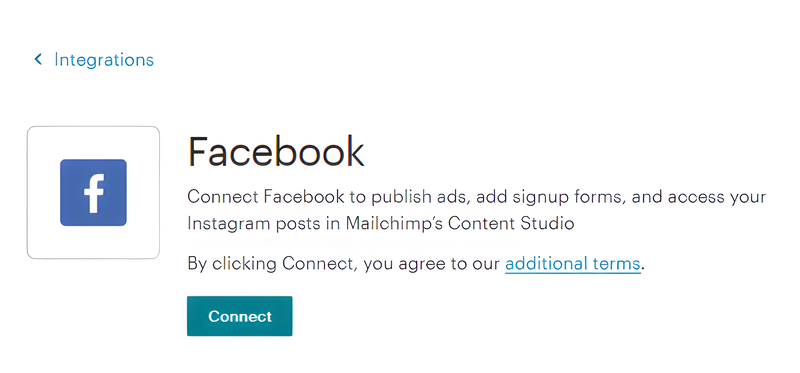
All Mailchimp Marketing plans can install the Meta Business Extension. It connects Mailchimp with Meta. It matches your Mailchimp audience with custom ad audiences. It enables advanced advertising tools on Meta and Instagram. At the end of the connection, a Create Ad option lets you build a new Meta ad.
Automation comes in a smaller size on Essentials. A flow there holds up to 4 steps. Some Meta and Instagram features depend on your plan.
What Standard Adds
Standard unlocks the tools that connect your emails and your ads:
- The Meta Custom Audience action in automation flows
- Flows with up to 200 steps, up from 4
- Up to 3 triggers in one flow
- A conditional split on up to 5 conditions
- A percentage split and a webhook action
- Conversion Insights, with a connected store
- Scheduled social posts
These are meronyms of the Standard plan. Together, they make the Mailchimp Facebook ads integration more automatic.
What You Pay Meta Separately
You pay Meta directly for paid advertising, with a daily budget that you set based on your goals. Keep in mind that your Mailchimp plan fee and your Meta ad spend are two separate costs. In contrast, content you publish without paying for promotion is considered an organic post.
Because pricing and advertising costs can change over time, always check Mailchimp’s latest pricing page before upgrading your plan.
What Are the 5 Reasons to Upgrade for the Mailchimp Facebook Ads Integration?
Five Standard features justify the upgrade: the Custom Audience action, longer flows, smarter branching, Conversion Insights, and scheduled posts. Each one saves time or shows results. Here is how the Mailchimp Facebook ads integration pays you back.
Reasons 1–3: Build Smarter Audiences and Flows
1. The Meta Custom Audience action. It sits inside an automation flow. It targets a Meta Custom Audience from the same flow that sends your emails. Payoff: less manual list work as your contacts grow.
2. Longer flows. Essentials holds up to 4 steps. Standard holds up to 200. Payoff: room for a welcome path, a win-back path, and a VIP path in one place.
3. Smarter branching. Standard adds a conditional split on up to 5 conditions, a percentage split, and a webhook action. It also allows up to 3 triggers in one flow. Payoff: each group gets the message that fits it. These are hyponyms of flow rules.
Reasons 4–5: See Sales and Plan Posts
4. Conversion Insights. It needs the Standard plan or higher and a connected store. It shows revenue from Mailchimp against total store revenue. It also shows revenue per recipient and predictive segments. Payoff: proof of what your emails earn. It covers Mailchimp campaigns, not Meta ad results.
5. Scheduled social posts. Standard lets you schedule a post through the Facebook integration. Payoff: your page stays active while you work on ads.
Plan Comparison at a Glance
Any Marketing plan, including Essentials, can install the Meta Business Extension. That part of the Mailchimp Facebook ads integration needs no upgrade.
Essentials gives you basic automation. A flow there holds up to 4 steps. Every other tool in this guide needs the Standard plan or higher.
Standard raises the limit to 200 steps and allows up to 3 triggers. It adds the conditional split, the percentage split, and the webhook action. It also adds the Meta Custom Audience action and scheduled social posts. Conversion Insights needs Standard or higher, plus a connected store.
In short, Essentials gives you the connection. Standard gives you the automation and the reporting.
Plan names and limits change. Confirm them on Mailchimp’s pricing page before you pay.
Should You Upgrade or Stay on Your Current Plan?
Upgrade when your lists and sales are growing. Stay put when you are still testing. The Mailchimp Facebook ads integration works on any Marketing plan, so you can start small and upgrade with proof.
Upgrade If These Sound Like You
The Standard plan pays off for the Mailchimp Facebook ads integration when:
- You run a store with repeat buyers and want automatic audiences.
- You want lapsed customers to see a win-back ad without manual work.
- You want to know how much revenue your emails earn.
- You want flows with more than 4 steps.
- You schedule social posts every week.
Stay Put If These Sound Like You
Keep your current plan when:
- You have no connected store yet.
- You have a small list and no ad history.
- You have not yet tested one ad.
- You only need the Create Ad option and the basic connection.
The basic connection works on every Marketing plan. Staying put costs you nothing extra.
A Low-Risk Way to Decide
Use this four-step test before you spend more:
- Connect the Meta Business Extension on your current plan.
- Pick one segment and one ad. Set a small daily budget.
- Read Meta’s ad reports. Watch reach, click-through rate, cost per click, and conversion rate. These four are hyponyms of ad metrics.
- Upgrade only if you keep wishing for a Standard feature.
Then check Mailchimp’s pricing page and choose. You decide with data, not hope.
Conclusion
The Mailchimp Facebook ads integration in Mailchimp for small business gives you 5 reasons to upgrade. They are the Custom Audience action, longer flows, smarter branching, Conversion Insights, and scheduled posts. Any Marketing plan can install the integration. Standard makes it more automatic.
If you still wonder whether the Mailchimp Facebook ads integration deserves an upgrade, start on your current plan. Test one segment and one ad. Then open Mailchimp’s pricing page and choose with data. You have got this.
FAQ
1.Which Mailchimp Plan Do I Need for the Facebook Ads Integration?
All Mailchimp Marketing plans can install the Meta Business Extension. Some Meta and Instagram features depend on your plan. The Meta Custom Audience action and Conversion Insights need the Standard plan or higher. Check Mailchimp’s pricing page for current plans.
2.Is the Standard Plan Worth It for a Small Business?
It can be. Standard adds the Custom Audience action, flows with up to 200 steps, branching tools, Conversion Insights, and scheduled social posts. Test the basic connection first. Upgrade if you keep wanting those features.
3.Do I Pay Meta Separately for the Ads?
Yes. You pay Meta for paid ads, and you set the daily budget. Your Mailchimp plan fee is a separate bill. Check Meta’s current terms for details.
4.What Does the Essentials Plan Limit?
On Essentials, a flow holds up to 4 steps. The Custom Audience action, conditional and percentage splits, webhooks, and Conversion Insights need Standard or higher. Check Mailchimp’s pricing page for current limits.
