Facebook Advertising, BLOG, Marketing & SEO
How to Target Facebook Ad Audiences in Mailchimp: 7 Steps
Nov
Paying to show ads to the wrong people is a painful feeling. Audience settings can also look confusing at first. That’s a common worry, and it has a simple fix. If you want to learn how to target Facebook ad audiences in Mailchimp for small business Facebook advertising, this guide is for you.
Let’s make the process easier to follow. Mailchimp helps you organize your contacts and segments, while Meta delivers your ads to the selected audience. This guide walks you through seven practical steps, from choosing the right customers to keeping your audience fresh and relevant. You’ll learn how to make smarter targeting decisions and connect with people who are more likely to engage with your business.
How Facebook Audience Targeting Works With Mailchimp?
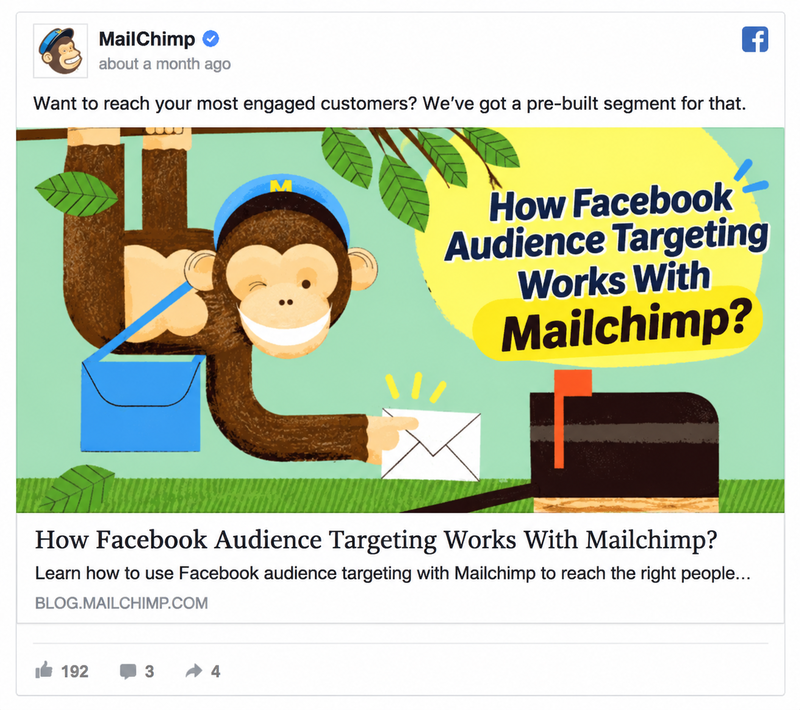
Before the steps, let’s see how the pieces fit. Knowing this makes it easier to learn how to target Facebook ad audiences in Mailchimp.
What Targeting Means When Mailchimp Meets Meta
Targeting means choosing who sees your ads. In this setup, Mailchimp and Meta each do part of the job. The Meta Business Extension connects the two, so you can manage data between them. You can target custom audiences with an automation flow, and you can match your Mailchimp audience with custom ad audiences.
Mailchimp can also add contacts to a Meta Custom Audience or remove them. That helps you keep an engaged audience and target it with Meta ads. Put simply, Mailchimp chooses who belongs in the group. Meta shows the ads to that group. Don’t mix up two tools. The Meta Business Extension is different from the Facebook integration. The extension is for audiences and ads. The integration is for posts.
What You Need Before You Start Targeting
Get these items ready first:
- An active Meta Business Manager account, an ad account, and a customer list Custom Audience.
- A connected Meta Business Extension. The Meta Custom Audience action needs it.
- A Standard plan or higher for the Meta Custom Audience action. All Mailchimp Marketing plans can install the extension, but some features depend on your plan.
- E-commerce data in your account, if you want to use customer behavior segments.
How to Target Facebook Ad Audiences in Mailchimp Step by Step
Here’s how to target Facebook ad audiences in Mailchimp, one clear step at a time.
Pick the People You Want to Reach
Start with one clear goal. You might want to win back past buyers. Or you might want to welcome new subscribers. A clear goal tells you which group to choose. Anyone can learn how to target Facebook ad audiences in Mailchimp once the goal is clear.
Then choose your group. Mailchimp offers pre-built segments based on email engagement, purchase history, and other information. You can also create your own segment. Subscriber engagement segments, such as New Subscribers, Engaged Subscribers, and Disengaged Subscribers, are available to all users. You can find pre-built segments on your audience dashboard or in the Segments section of your audience. They also make good inspiration for custom ones.
Two simple terms help here. A segment is a section of your audience whose contacts share something in common. A tag is a label you add to a contact. Tags help you sort contacts, and segments help you target them.
Connect the Meta Business Extension and Match Your Audience
Next, you’ll connect the two tools. That’s the first technical step when you learn how to target Facebook ad audiences in Mailchimp. Open the Meta Business Extension app page and click Connect. Log in to Facebook. Then choose each part of your Meta Business account:
- Your Business Manager account.
- Your Facebook Page.
- Your Instagram Profile.
- Your Ad account.
- Your Meta Pixel.
On the confirmation screen, decide about Automatic advanced matching. It matches your customer information with people on Facebook. Turn it on only if it fits your privacy policy and customer consent. Finish by clicking Create Ad to build a new Meta ad, or click Done to return to the integration page.
Add the Meta Custom Audience Action to a Customer Journey
A Customer Journey is a map of marketing steps. Each step is an action. Follow these steps to add the audience action:
- Drag the Meta Custom Audience action into your journey map from the side panel. You can also use the plus icon (+).
- Choose a Meta Custom Audience from the Custom Audience drop-down.
- Choose the action in the Action drop-down. You can add contacts or remove them.
- Click Save.
Haven’t connected the extension yet? The pop-up offers a Set Up Integration button. You can repeat these steps to add more actions to the same journey.
Your Customer Journey must be active for the action to work. After the first contact is added or removed, a count appears on the action. Mailchimp then updates your Meta Custom Audience automatically. That saves time and keeps your contact data relevant. That’s how to target Facebook ad audiences in Mailchimp without manual work.
How to Keep Your Facebook Audiences Fresh and Relevant
Setting up is only the start. Once you know how to target Facebook ad audiences in Mailchimp, your next job is keeping the groups fresh. Fresh groups mean fewer wasted ads.
Use Pre-Built Segments and Conversion Insights for Smarter Groups
Mailchimp’s customer behavior segments are a great start. They need e-commerce data. They include High-value Customers, Potential Customers, Recent Customers, First-time Customers, Repeat Customers, and Lapsed Customers. Here’s a small example. A shop adds first-time buyers to one custom audience. Later, it removes them from an audience built for first-purchase offers. That’s a simple way to target Facebook ad audiences in Mailchimp with care. Now here’s one audience idea for each group:
- High-value Customers are predicted to have the highest lifetime value. Offer them early access to new products.
- Potential Customers haven’t bought yet. Show them a first-purchase offer.
- Recent Customers bought in the past 30 days. Thank them, or suggest matching products.
- First-time Customers made their first purchase in the past 30 days. Show them related products.
- Repeat Customers have placed at least two orders. Reward them with a loyalty offer.
- Lapsed Customers haven’t purchased in the past eight months. Run a win-back ad.
Conversion Insights adds smarter groups. It highlights subscribers ready to buy, customers ready to buy again, and customers at risk of not buying again. It needs the Standard plan or higher and a connected store. Use these groups as ideas. Nudge the ready-to-buy group. Reach the buy-again group right before they reorder. Re-engage the at-risk group before you lose them.
Review, Remove, and Respect Consent
Audiences change, so your actions should change too. You can edit, copy, or delete a Meta Custom Audience action. Use that to remove contacts when they no longer fit. If none of the pre-built segments work for you, build your own with a different rule, such as a higher or lower number of unopened emails. Remove people who unsubscribe, too. Use only contacts who agreed to marketing.
Then review your results. Check ad results in Meta and email results in Mailchimp. Improve one thing at a time, such as the audience, the offer, or the message. Small changes teach you more than big ones. Be helpful, not intrusive, and show targeted ads instead of mass ads.
Conclusion
You’ve seen how simple the process can be. Choose your people, connect Meta, add the audience action, use smart segments, and keep the audience clean. That’s how to target Facebook ad audiences in Mailchimp, one step at a time.
Start with one segment and one small audience. Check the results and improve step by step. Learning how to target Facebook ad audiences in Mailchimp takes a little practice, and every campaign makes it easier.
Frequently Asked Questions
1. Can I target Facebook ad audiences in Mailchimp without an online store?
Yes, you can use subscriber engagement segments, which are available to all users. Customer behavior segments need e-commerce data. So a store makes your targeting richer, but it isn’t required to start. You can still learn how to target Facebook ad audiences in Mailchimp with engagement segments alone.
2. Which Mailchimp plan do I need to target Facebook audiences?
All Marketing plans can install the Meta Business Extension, but some features depend on your plan. The Meta Custom Audience action needs the Standard plan or higher. Check Mailchimp’s pricing page for current plans.
3. What is a Meta Custom Audience?
It is a group of contacts in your Meta Business account that you can target with Meta ads. Mailchimp can add contacts to it or remove them automatically.
4. Why is my Meta Custom Audience action not working?
Check that your Customer Journey is active, that the Meta Business Extension is connected, and that you are on the Standard plan or higher.
